


Sheriff Labrador Safety Games
4.777.00 Reviews
App Specs
- Version
- 8.76.42.01
- Updated On
- License
- Free
- Downloads
- 5,000,000+
- Developer
- BabyBus
- Categories
- Educational
- Platform
- Android, iOS
Screenshots
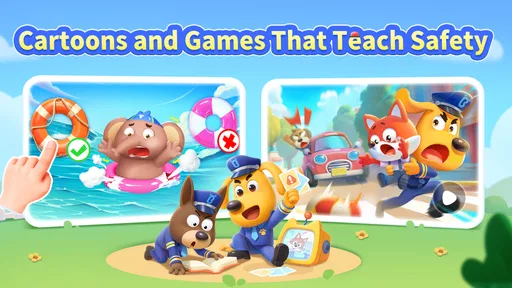
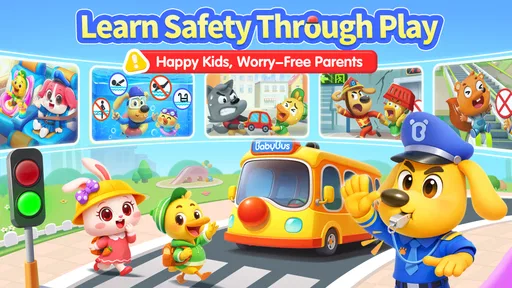


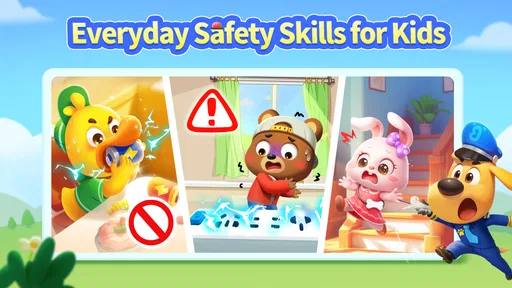
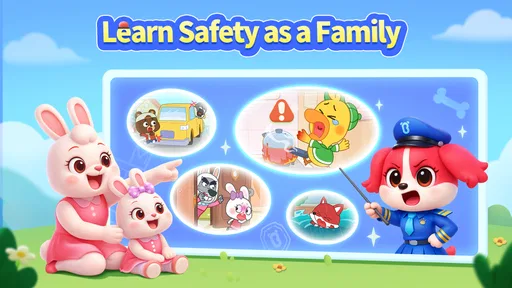
 Analysis by AppCompare
I approached Sheriff Labrador Safety Tips2 as a children’s learning game, not as a substitute for an adult, an emergency service, or reliable local safety guidance. Its appeal is the chance to explore safety ideas through a child-oriented format, with Sheriff Labrador providing a familiar focus. That framing can make a serious topic feel less intimidating, but it also means parents should treat the app as a starting point for conversation rather than a complete safety course.
Who it suits, and when it helps
I can see this working well for families who want a gentle way to bring up everyday safety with young children: a short shared activity after school, a calm moment at home, or something to explore together before talking about what to do in an emergency. The game is listed for Everyone, and its educational focus makes it more naturally suited to children and caregivers than to adults seeking a reference tool for urgent situations.
A realistic use is to play a little together, pause when a situation prompts a question, and ask the child what they think the character should do. That keeps the experience active without making the app responsible for teaching every detail. If a child is unsettled by safety scenarios, I’d keep the session brief and choose a relaxed time rather than introducing it during a stressful moment.
How it compares with other ways to teach safety
Compared with a printed children’s safety book, a game can feel more inviting to a child who responds to characters and interactive activities. Compared with a general video or cartoon, a game may offer more opportunities to stop and think rather than simply watch. Neither format is automatically better: a book can be easier to revisit at a particular page, while an adult-led conversation can be tailored immediately to a child’s age, questions, and real surroundings.
I’d use this as one part of a small routine, not as the only source of safety learning. A family can connect an idea from the game to a safe, ordinary example at home, then check that the child understands who to ask for help. For details that depend on where you live or your household’s needs, a parent or trusted local source is a better guide than a general children’s game.
Practical choices for parents
Because the game is free to download and includes in-app purchases priced from $1.99 to $29.99 per item, I’d check the purchase settings on the device before handing it to a child. That is a useful precaution for any children’s app with optional spending, especially when a child is exploring independently. The game has more than a million installs and a 4.7 average from around 6,600 ratings, which suggests broad interest, but those figures don’t tell a parent whether its style will suit a particular child.
It is made by BabyBus, a developer associated here with a kid-focused experience, and the game’s current version is 8.73.40.30. It requires Android 6.0 or later. If you are choosing between a phone and a tablet, the larger display may be more comfortable for a child who finds small on-screen details difficult, though the best choice depends on the device and the child. I would also try the first session together: that gives you a chance to see whether the pace, visuals, and activities hold the child’s attention without assuming they will work equally well for everyone.
Worth Reading Before You Choose

Flipboard Shows What News Apps Must Do Beyond the Feed

Switching to Android Auto Means Rethinking Your Driving Routine

Google Calendar Makes a Crowded Week Easier to Manage

Ludo King Makes the Most of the Minutes Between Plans

Baby Panda World Brings Quick Play to Modern Phones, but Its Game Library Feels Busy

ESPN’s Live Game View Makes Following Close Games Easier
Where it is not the right tool
This is not the option I’d reach for when I need fast, authoritative instructions in a real emergency. A child should not be expected to navigate a game under pressure, and an app cannot replace adult supervision or practice suited to the family’s circumstances. If your main goal is a detailed household emergency plan, a trusted guide designed for that purpose will be more useful; if your child learns best through conversation or hands-on practice, those approaches may be a better fit.
It may also be a poor match for a child who becomes overstimulated by screen-based activities or who needs a quieter, slower way to learn. In that case, read and discuss safety ideas together without making the game the centre of the lesson. I’d avoid treating a quiz or completed activity as proof that a child can respond safely in real life; understanding grows through repetition, context, and support from an adult.
What’s It All About?
Alright, let’s dive into what Sheriff Labrador Safety Tips2 is all about. The app is designed to provide you with a plethora of safety tips and guidelines for various scenarios. Whether you’re at home, on the road, or exploring the great outdoors, this app has got you covered with advice that’s practical and easy to follow.
Easy Peasy Navigation
One of the first things I noticed about this app is its super intuitive interface. You don’t need to be a tech guru to find your way around. Everything is neatly categorized, and the tips are grouped by different situations, making it a breeze to find what you need. I mean, who doesn’t love an app that doesn’t require a manual to navigate, right?
For a child still learning to read, simple organization is helpful only if the labels and screens make sense to them. I’d let the child explore while staying nearby, then step in if they seem unsure rather than quickly taking over. That little pause shows whether the navigation is genuinely comfortable for them or merely easy for an adult to understand.
Safety Tips Galore
This app doesn’t skimp on content. Seriously, it’s like having a mini safety encyclopedia in your pocket. From fire safety tips to personal security advice, it’s all here. I was particularly impressed with the section on emergency preparedness. It gives you step-by-step instructions on what to do in case of natural disasters, which is something we could all use a bit more knowledge about.
For learning, I’d focus on one topic at a time instead of turning a session into a test of everything the child remembers. After an activity, ask them to explain the idea in their own words, then connect it to a familiar place or routine. That helps reveal whether they understood the lesson, rather than just recognized an answer on screen. Adults should still check any advice against guidance that applies to their location and situation.
Interactive Features
Now, here’s where things get interesting. Sheriff Labrador Safety Tips2 isn’t just about reading tips. The app includes interactive quizzes and scenarios that test your knowledge and help reinforce what you’ve learned. It’s a fun way to make sure you’re actually absorbing the information and not just skimming through it.
I’d treat those activities as prompts for discussion, not a scorecard of a child’s ability. If an answer is wrong, ask what made the other choice seem right before explaining your view. This is especially useful when children interpret a scenario differently from adults. It turns a quick tap into a chance to practise reasoning, while avoiding the false confidence that can come from getting a few questions right.
Kid-Friendly Content
If you’ve got little ones at home, you’ll love the kid-friendly section. The app offers simplified safety tips that are easy for children to understand. Plus, the colorful illustrations and animations make learning about safety fun and engaging for them.
Visual presentation can help some children stay interested, but children vary in how they respond to motion, bright imagery, and screen time. I’d watch for signs that the visuals are distracting or tiring and take a break if needed. A caregiver can also describe what is happening aloud, which may help a child who benefits from hearing the idea as well as seeing it. That kind of support matters more than expecting every child to learn in the same way.
Community and Updates
An aspect that I found particularly cool is the community feature. You can connect with other users, share tips, and even get advice from the Sheriff Labrador community. The developers are also pretty active with updates, ensuring that you get the latest and most relevant safety information at your fingertips.
For a children’s learning experience, I would keep a parent involved in any community-facing activity and make privacy a deliberate part of the decision. A child should know to ask an adult before sharing personal details or responding to people they do not know. I’d also regard app updates as maintenance, not a guarantee that every lesson fits a family’s circumstances; adults still need to judge what advice is appropriate.
In a world where things can go south pretty quickly, having an app like this gives you a little extra peace of mind. Whether you're a seasoned adventurer or someone who prefers the comforts of home, Sheriff Labrador Safety Tips2 is a handy companion to have. So go ahead, give it a whirl, and stay safe out there!
My inclusive take
Overall, I see this as a potentially approachable way to start safety conversations with a child, especially when an adult is ready to play alongside them and adapt the lesson. The game is free, categorized as educational, and was released on July 24, 2024; those details make it easy to consider, but they do not settle whether its presentation will suit a particular child. Its strongest use is shared, low-pressure learning—not independent emergency preparation.
For families deciding whether to try it, I’d begin with a short session and notice three things: can the child follow the screens, do the activities invite useful questions, and does the content leave them calm and curious rather than worried? If those signs are positive, keep returning to one idea at a time and reinforce it through ordinary conversation. If navigation, visuals, or the topic itself becomes frustrating, a quieter book or direct adult-led practice may be kinder and more effective. That flexibility is the most important part of using any safety game well.
Pros
- Engaging and interactive content for kids
- Colorful graphics enhance learning experience
- Wide range of safety topics covered
- Easy to navigate interface for young users
- Regular updates with new content
Cons
- Limited language options available
- Requires internet for full functionality
- Some sections can be repetitive
- In-app purchases can add up
- Ads may disrupt the user experience
FAQs for Sheriff Labrador Safety Games
What is Sheriff Labrador Safety Tips2?
Sheriff Labrador Safety Tips2 is an educational app designed to teach children essential safety tips in a fun and interactive way. The app features engaging games and activities led by Sheriff Labrador, who guides users through various scenarios to help them learn how to stay safe in different situations.
Is Sheriff Labrador Safety Tips2 suitable for all ages?
Sheriff Labrador Safety Tips2 is primarily designed for children aged 4 to 10. The app uses age-appropriate language and interactive elements to ensure children can easily understand and engage with the content. Parents can also use the app to facilitate discussions about safety with their children.
Does the app require an internet connection to function?
Sheriff Labrador Safety Tips2 can be used offline, making it convenient for on-the-go learning. However, some features may require an internet connection, such as downloading updates or accessing additional content. It's best to check specific app requirements for full functionality.
Are there in-app purchases or ads in Sheriff Labrador Safety Tips2?
The app may include in-app purchases to unlock additional content or features. While it is designed to be child-friendly, parents should review the purchasing options and ensure that any transactions are handled securely. The app may also contain ads, which can usually be removed with a purchase.
How can I ensure my child's safety while using the app?
To ensure safe usage, parents should supervise their child's interaction with the app, especially when accessing online features. Activating parental controls and discussing the importance of not sharing personal information online can further protect your child while using Sheriff Labrador Safety Tips2.


